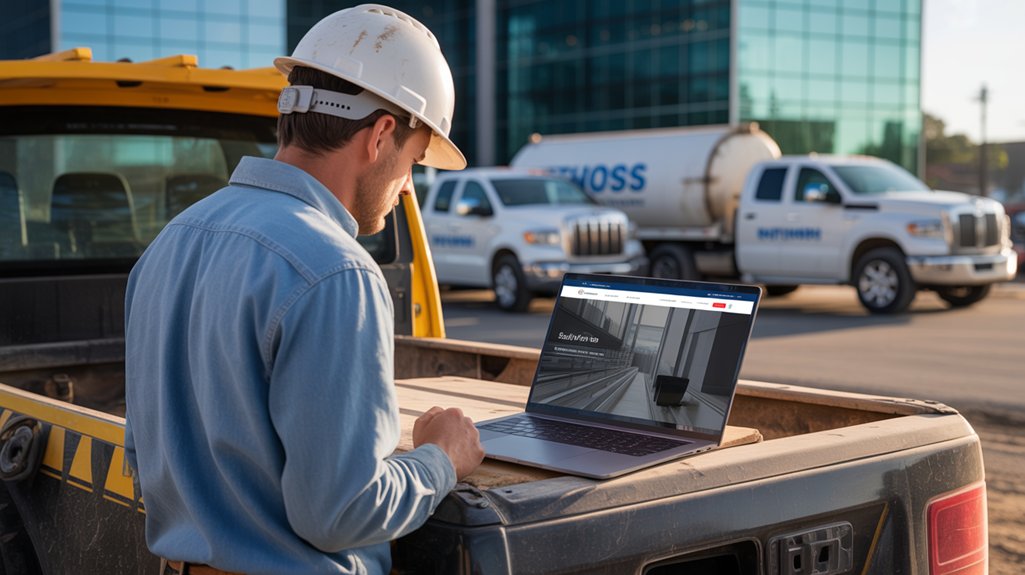

Like a storefront with no sign, your Celina construction business can disappear online before homeowners ever know you exist. If your site loads slowly, looks weak on mobile, and skips clear service details, people move on fast. Better photos, stronger calls to action, and local SEO don’t just polish your image—they decide whether you get the call or lose it to a competitor.
Main Points
- Slow-loading pages increase bounce rates and make Celina contractors look less professional than faster competitors.
- Poor mobile design makes it hard for visitors to read, tap, and request quotes on phones.
- Vague service pages and weak calls to action fail to match local search intent or drive inquiries.
- Missing trust signals, before-and-after photos, and license or insurance proof reduce homeowner confidence.
- Weak local SEO and an unoptimized Google Business Profile let better-ranked competitors capture nearby leads.
Why Celina Construction Websites Lose Leads

If your Celina construction website isn’t generating enough leads, the problem is often the site itself. You’re probably losing prospects because your pages load slowly, your messaging stays vague, and your calls to action don’t push visitors to act. When people land on your site, they need instant confidence that you handle their type of project and deliver reliable results.
You also lose leads when your site looks outdated or works poorly on phones. Today’s homeowners and business owners compare contractors fast, and they’ll leave if your website feels hard to use or untrustworthy. Strong websites guide visitors clearly, build credibility quickly, and make contact simple. If yours doesn’t do that, your competitors will keep winning the jobs you should get.
What Homeowners Want to See First
Homeowners want to know right away that you can handle their project, communicate clearly, and deliver quality work. Put your best proof front and center: clear services, recent projects, reviews, and the areas you serve.
Show before-and-after photos so visitors can quickly judge your craftsmanship. Add simple trust signals like licenses, insurance, and years in business, because people in Celina want confidence before they call.
Make your contact information easy to find on every page, and include a strong call to action that tells them what to do next. When you lead with proof, not fluff, you make it easier for homeowners to choose you over a competitor.
That first impression should answer their biggest question fast: why should they trust you with their home?
How Fast, Mobile Sites Win More Quotes
When your site loads fast, homeowners stay on it instead of bouncing to a competitor.
A mobile-first design makes it easy for them to view your work, tap your number, and request a quote from any phone.
If you want more leads, give them a quick path to action with a simple instant quote form.
Faster Load Times
Fast load times can make the difference between landing a quote and losing a prospect to a competitor. When your site opens quickly, you show professionalism, reduce frustration, and keep visitors moving toward your contact form. Every extra second gives people time to leave, call someone else, or doubt your reliability. You need pages that load fast on any connection, because slow performance feels careless.
| Fast Site | Slow Site |
|---|---|
| Builds trust | Feels risky |
| Keeps attention | Loses leads |
| Encourages calls | Creates exits |
| Supports quotes | Hurts revenue |
You can’t afford delays that cost jobs. Compress images, cut unnecessary scripts, and test speed often. If your site feels instant, prospects stay engaged and you get more quote requests.
Mobile-First Design
Designing for phones first helps you win more quotes because most prospects will check your site on a mobile device before they ever call. If your pages are cramped, slow, or hard to tap, they’ll leave and move to a competitor who makes it easy.
You need clear menus, readable text, and buttons that work with a thumb, not a mouse. Keep your most important services, service areas, and proof of experience above the fold so visitors don’t hunt for them.
Use short paragraphs, strong headings, and images that resize cleanly. When your site feels simple on a phone, people trust your business more and keep exploring.
That extra attention turns casual visitors into real opportunities, especially when they’re comparing local contractors fast.
Instant Quote Requests
A quick quote form can turn a curious visitor into a real lead before they click away. When you make it easy to request pricing on any phone, you remove friction and capture more jobs. Keep the form short: name, phone, project type, and a brief message. Add tap-to-call buttons, clear service areas, and a promise for fast follow-up.
You don’t need a long sales process to win attention; you need a simple next step. Fast-loading pages matter too, because slow sites lose impatient homeowners to competitors. If your quote request takes seconds instead of minutes, you look organized, responsive, and ready to work. That speed builds trust and puts you ahead of contractors who still hide contact forms or make prospects hunt for answers.
Why Weak Photos Hurt Contractor Trust
Weak photos can make even solid Celina contractors look less capable than they are. When your site shows dark jobsite shots, blurry finishes, or random phone pictures, visitors start doubting your workmanship before they ever call. You need images that prove you care about detail, safety, and professionalism.
Clear before-and-after photos, clean crew shots, and well-lit project galleries help people picture the quality they’ll get from you. Weak visuals also make your business feel smaller and less established than competitors with polished websites. If your photos look careless, prospects may assume your work is careless too.
Better images don’t just look nice; they build confidence fast and help you win trust before someone scrolls away to another contractor.
What Missing Service Details Cost You
When you leave out key service details, prospects don’t stick around to figure them out—they move on to a competitor who spells everything out. If your site only says “remodeling” or “repairs,” you force visitors to guess what you actually do, where you work, and what makes you a fit. That uncertainty costs you trust and leads.
Spell out the essentials:
- The exact services you provide.
- The project types you handle.
- The areas you serve.
Clear details help you attract the right homeowners and filter out bad fits before they ever call.
When you’re specific, your website feels more professional, your message lands faster, and prospects see you as the safer choice. Avoid vague copy; it makes your business look smaller, less capable, and easier to ignore.
How Better CTAs Turn Clicks Into Calls
You need clear call buttons that stand out and tell visitors exactly what to do next. Use urgent action prompts like “Call Now” or “Get a Free Estimate Today” so you don’t lose them to hesitation. When your CTA is simple and direct, you turn more clicks into real phone calls.
Clear Call Buttons
Clear call buttons can turn casual visitors into phone calls fast, especially on a construction website where people want answers now. You need buttons that stand out, say exactly what happens, and stay visible on mobile and desktop. If your visitors have to hunt for your number, they’ll leave.
- Use action words like “Call Now” or “Talk to an Estimator.”
- Place buttons above the fold and repeat them after key service details.
- Make sure the button color contrasts with the rest of the page.
When you keep the path simple, you make it easy for prospects to contact you before they compare another contractor. Clear buttons remove friction, build confidence, and help you capture more leads from people ready to talk today.
Urgent Action Prompts
Urgency in your CTA can be the difference between a quick call and a lost lead. If you want Celina homeowners to act now, you need prompts that create momentum. Use phrases like “Call Today for a Free Estimate” or “Book Your Roof Inspection Now” to make the next step obvious and time-sensitive. You’re not being pushy; you’re reducing hesitation.
Pair urgency with a real benefit, such as fast scheduling, limited consultation slots, or same-day quotes. Place these prompts near the top of the page, beside project photos, and after service details. Keep the action simple: one tap, one call, one response. When your website tells visitors what to do now, you stop them from browsing competitors and start turning interest into leads.
Why Local SEO Sends Leads Elsewhere
When local SEO isn’t set up right, search engines send nearby homeowners to competitors instead of your Celina construction business. You can’t rely on word of mouth alone when people search “builder near me” or “remodeling in Celina.” Google weighs relevance, distance, and trust signals, so weak location pages, missing reviews, and inconsistent listings push you down. Fix that now:
- Claim and optimize your Google Business Profile.
- Use Celina-focused keywords on service and location pages.
- Build reviews, backlinks, and consistent contact details.
When you match local intent, you show up where buyers are looking. That means more calls, more quote requests, and fewer leads slipping away to better-optimized competitors.
Frequently Asked Questions
How Much Does a New Contractor Website Cost?
A new contractor website usually costs you $2,000 to $15,000, depending on design, features, and content. You’ll pay more for SEO, lead forms, and custom tools, but better sites can win you more jobs.
How Long Does Redesigning a Website Usually Take?
You’ll usually need 4 to 8 weeks to redesign a website, depending on size, content, and approvals. If you move fast and provide materials quickly, you can launch sooner and start capturing more leads.
Should I Add Online Estimates to My Site?
Yes—add online estimates if you can deliver quick, accurate pricing. You’ll capture more leads, reduce back-and-forth, and beat slower competitors. Keep it simple, qualify requests, and follow up fast to convert prospects.
Can Customer Reviews Improve Website Conversions?
Yes—you can boost conversions with customer reviews. You’ll build trust, reduce hesitation, and show proof you deliver. Add recent reviews near quotes, services, and contact forms, and you’ll turn more visitors into leads.
What Website Features Help With Storm Damage Leads?
You need clear storm-damage pages, fast estimate forms, mobile-first design, photo galleries, emergency contact buttons, and trust signals. You’ll capture more leads when you show urgency, simplify action, and prove expertise quickly.
See The Next Post
If your Celina construction website still loads like it’s powered by dial-up and hidden somewhere in 2009, don’t be shocked when homeowners click the competitor who actually looks ready to build. You need fast pages, mobile-friendly design, clear service details, strong photos, and a tap-to-call CTA that doesn’t require a scavenger hunt. Fix your local SEO, polish your Google profile, and stop making prospects work harder than your crew.







0 Comments