

[ad_1]
What Is a Yahoo Business Listing?
A Yahoo local business listing is an online mention of your local business information (i.e., a local citation) that can appear in Yahoo results.
These listings include key information about your business. Like your business’s name, address, and phone number (NAP).
Your listing can also appear in Yahoo map results when users search for nearby businesses.
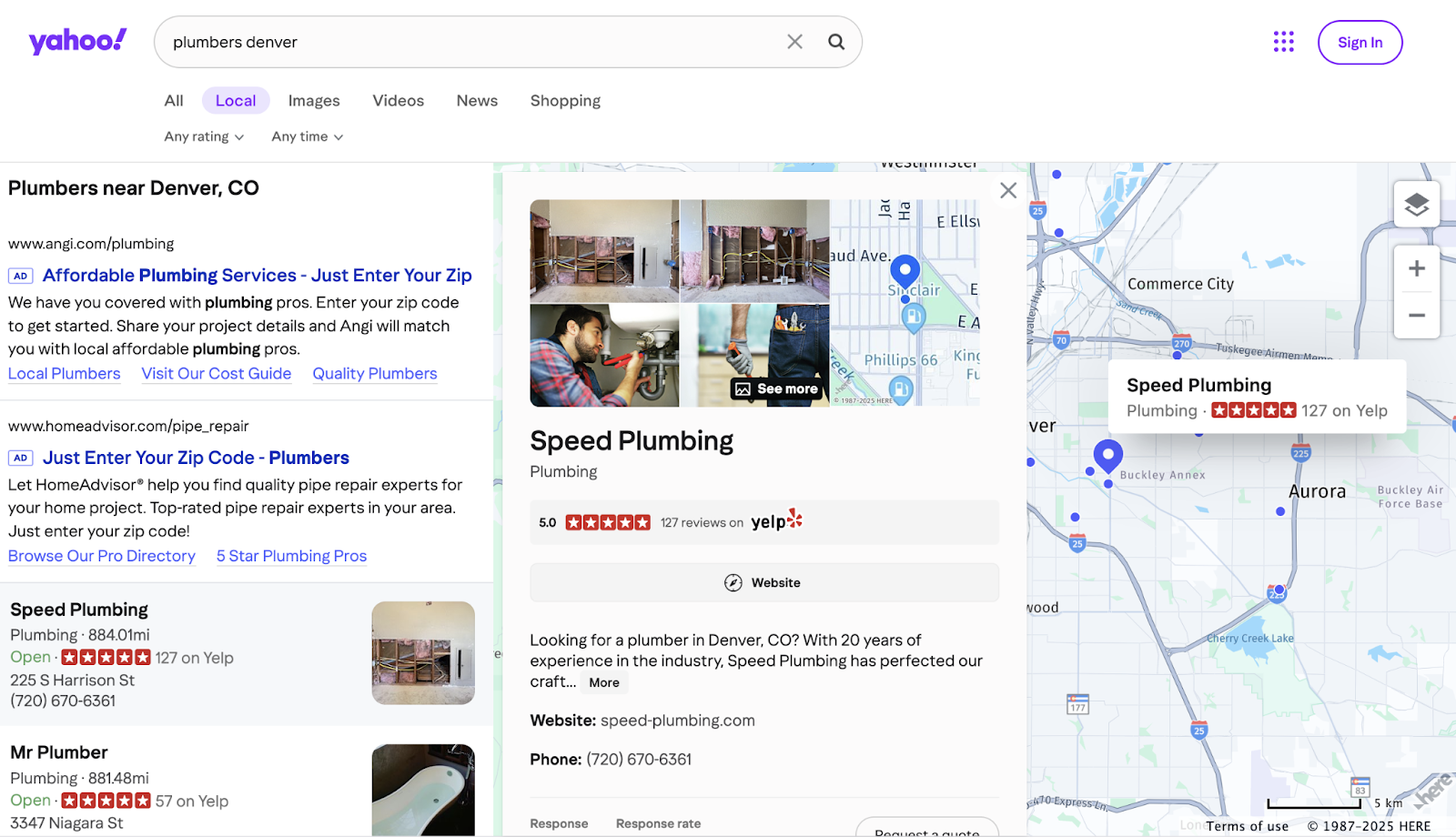
Yahoo has 2.24% of the mobile search engine market share. Which means real people use it to look for businesses like yours.
Plus, it’s a good complement to your Google Business Profile.
And since it’s free and easy, it’s worth creating or claiming your listing to help your local SEO.
How to Add a New Yahoo Business Listing
To list your business on Yahoo, go to Yahoo Local, select the “New listing” tab, and click “Claim a new listing.”
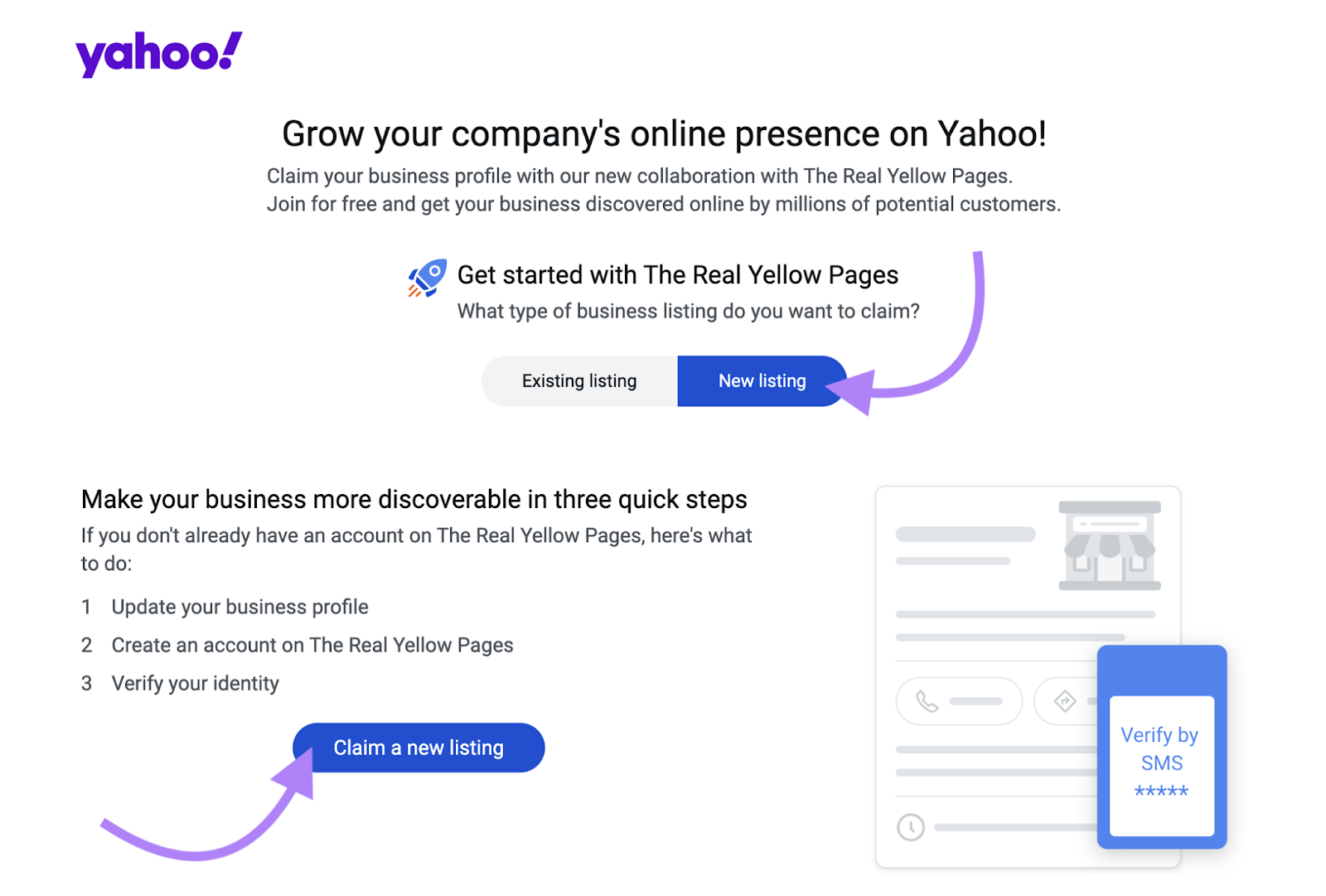
You’ll be sent over to The Real Yellow Pages site to create your listing.
Yahoo no longer hosts its own listings. And it displays The Real Yellow Pages’ listings in its search engine results pages (SERPs).
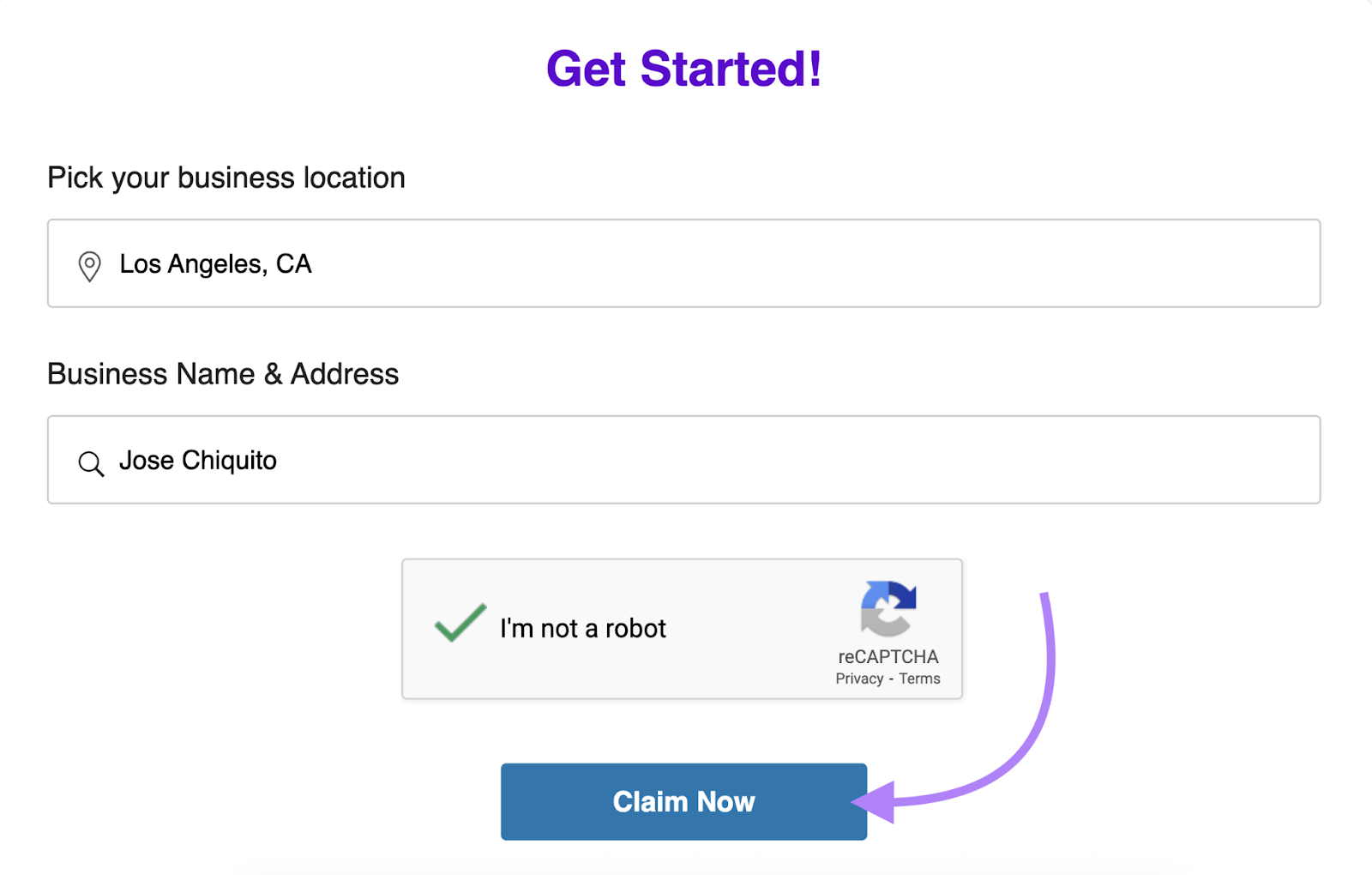
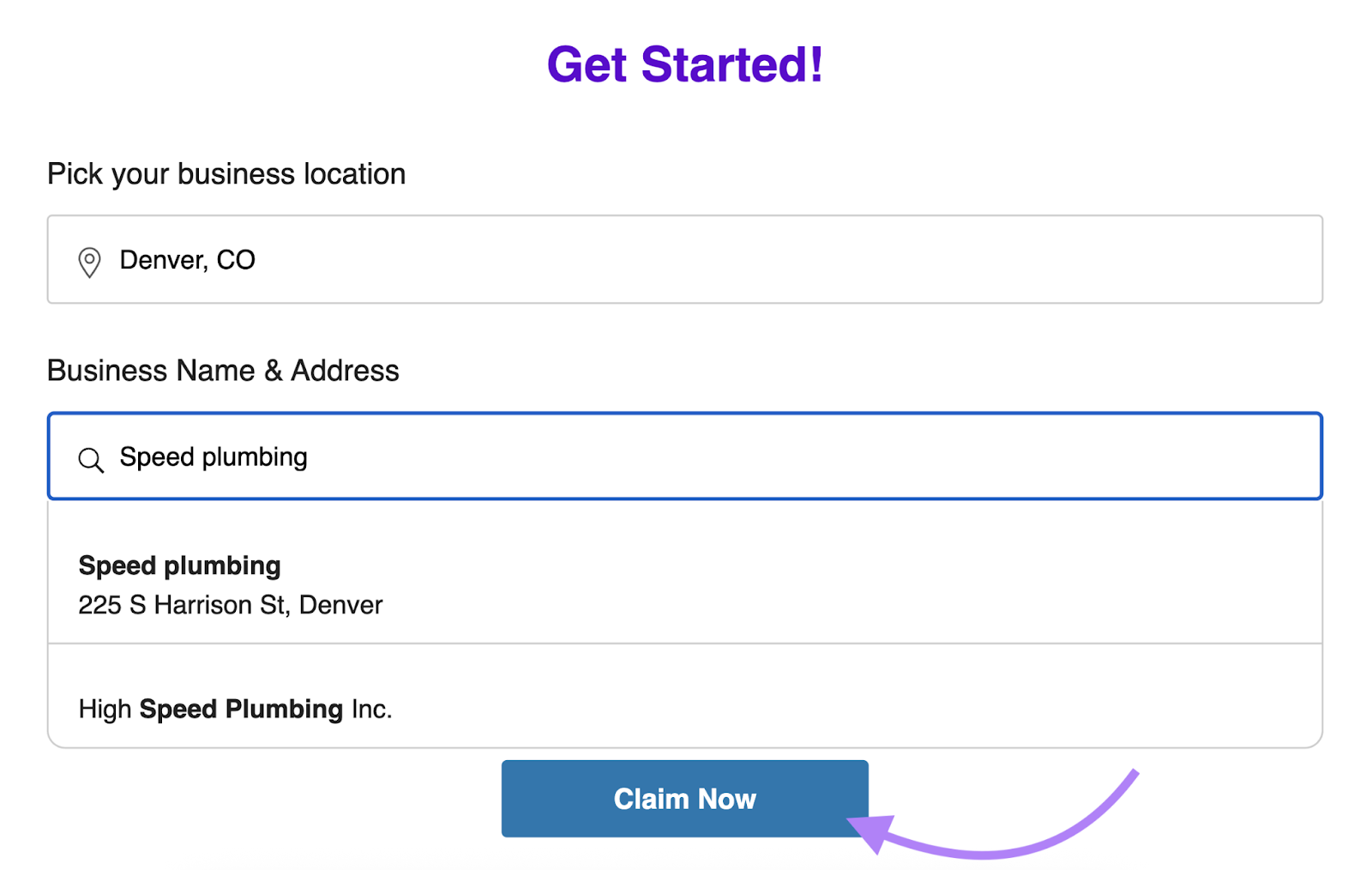
The Real Yellow Pages may already have information about your business. If it does, your business will appear in the drop-down menu when you look it up by location and name.
Click “Claim Now.”
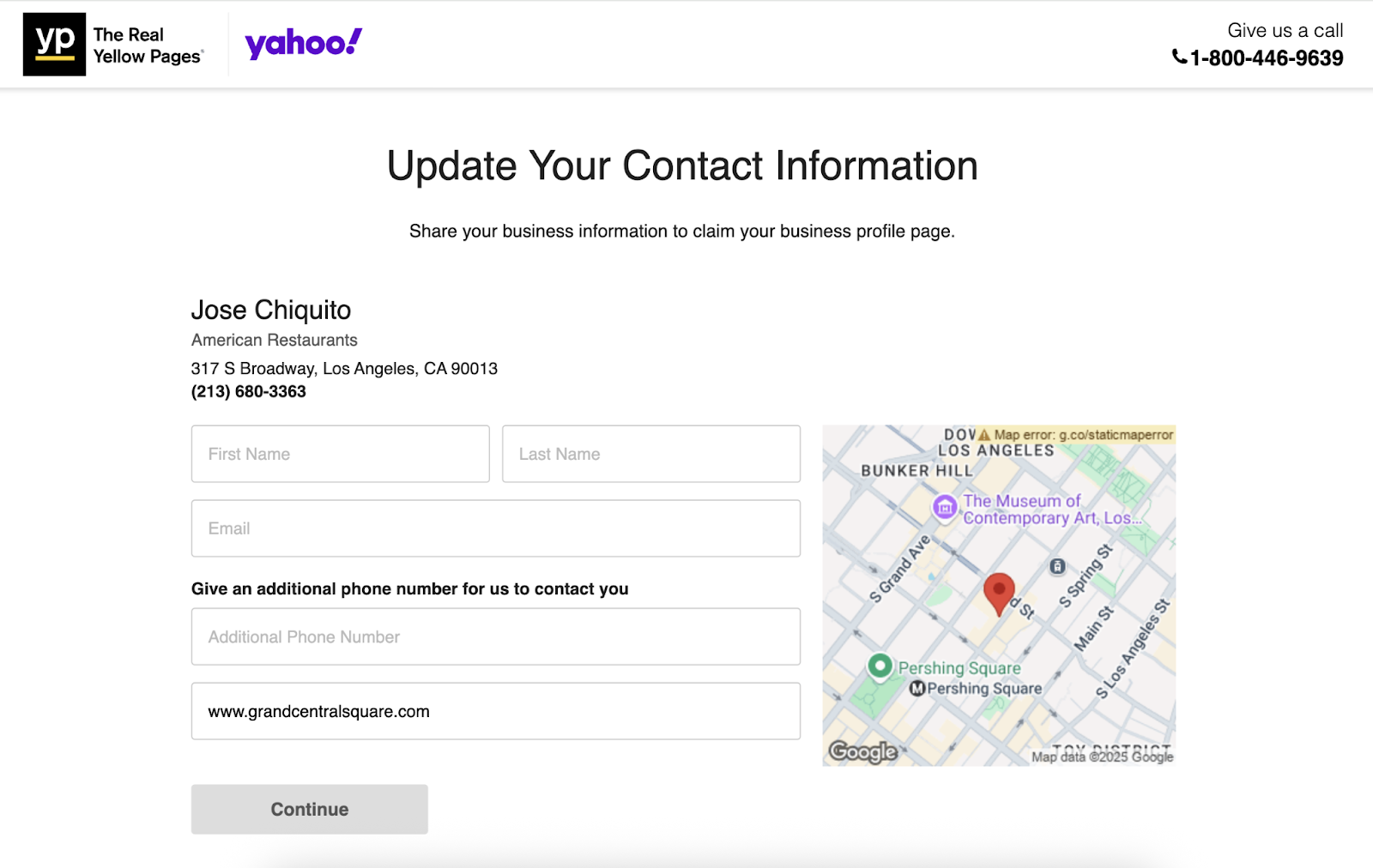
Next, add your contact information to claim your business listing.
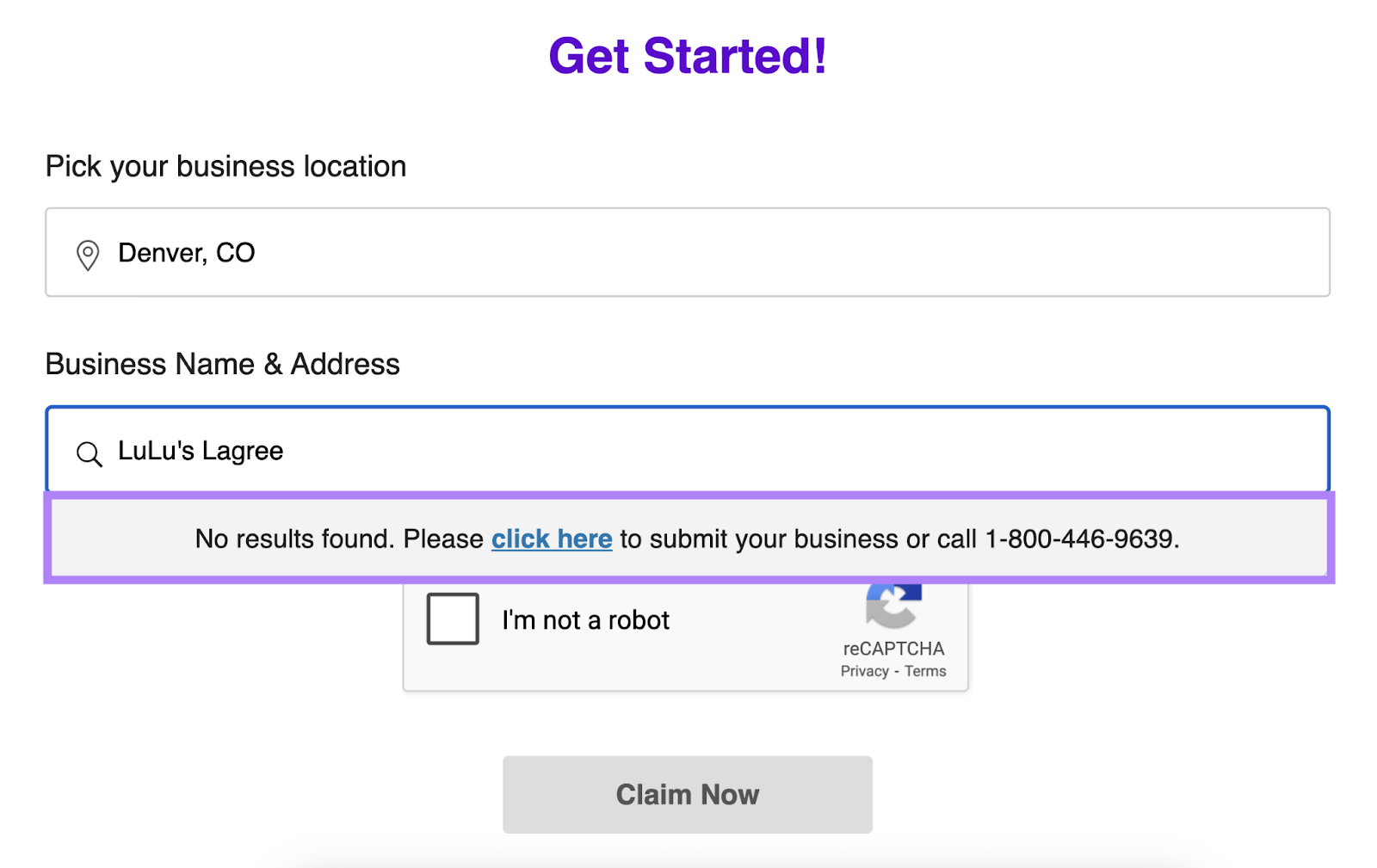
If The Real Yellow Pages doesn’t have information about your business, no results will appear in the drop-down.
So, select “click here” (or call the phone number) to submit your information.
You’ll be taken to a new page where you can fill out your basic listing information.
Once you’ve completed the form, click “Submit.”
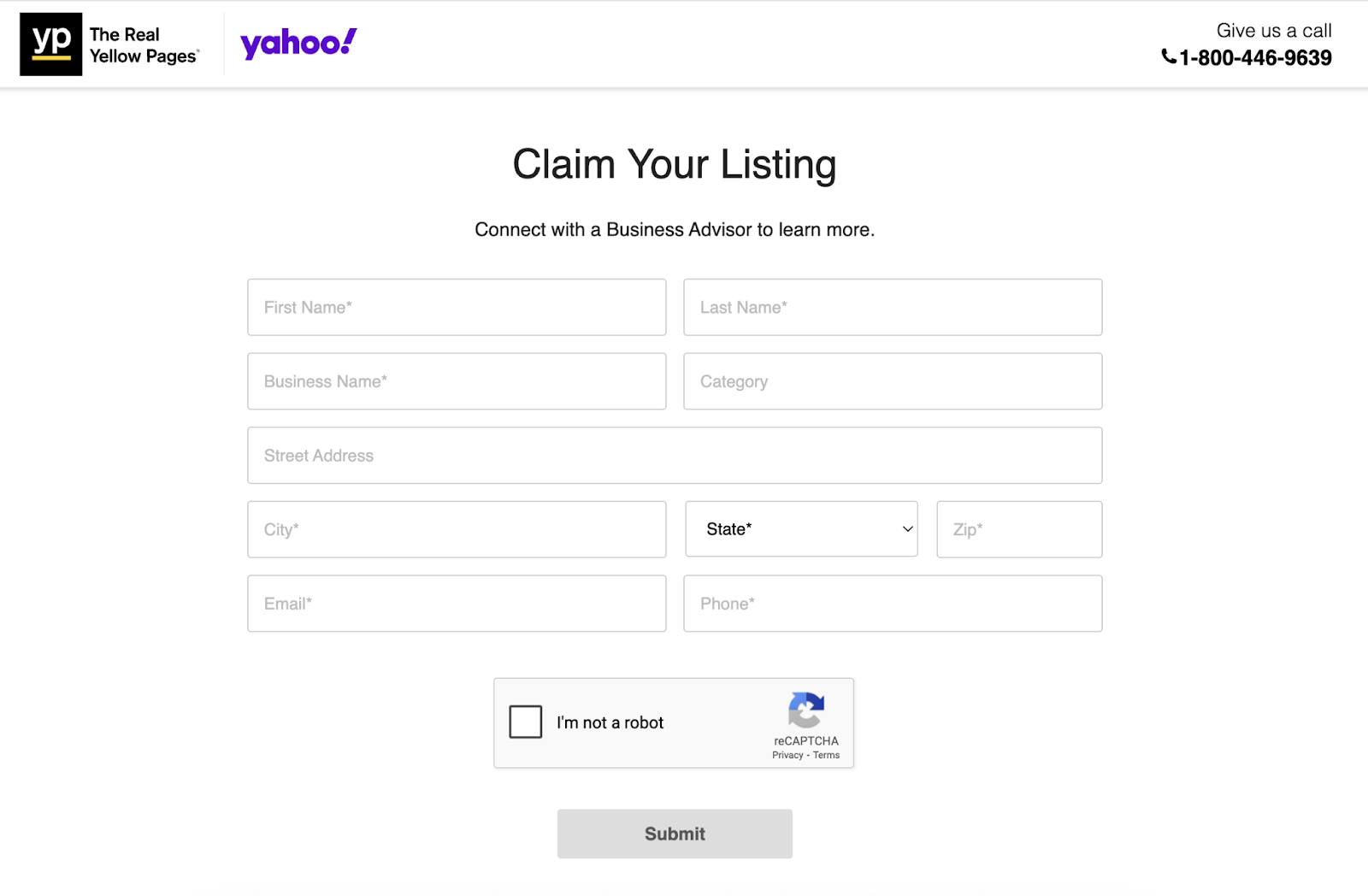
A Business Advisor will contact you to complete your listing verification. They’ll also discuss whether you want to upgrade to a paid plan that allows for more customization.
How to Claim an Existing Yahoo Business Listing
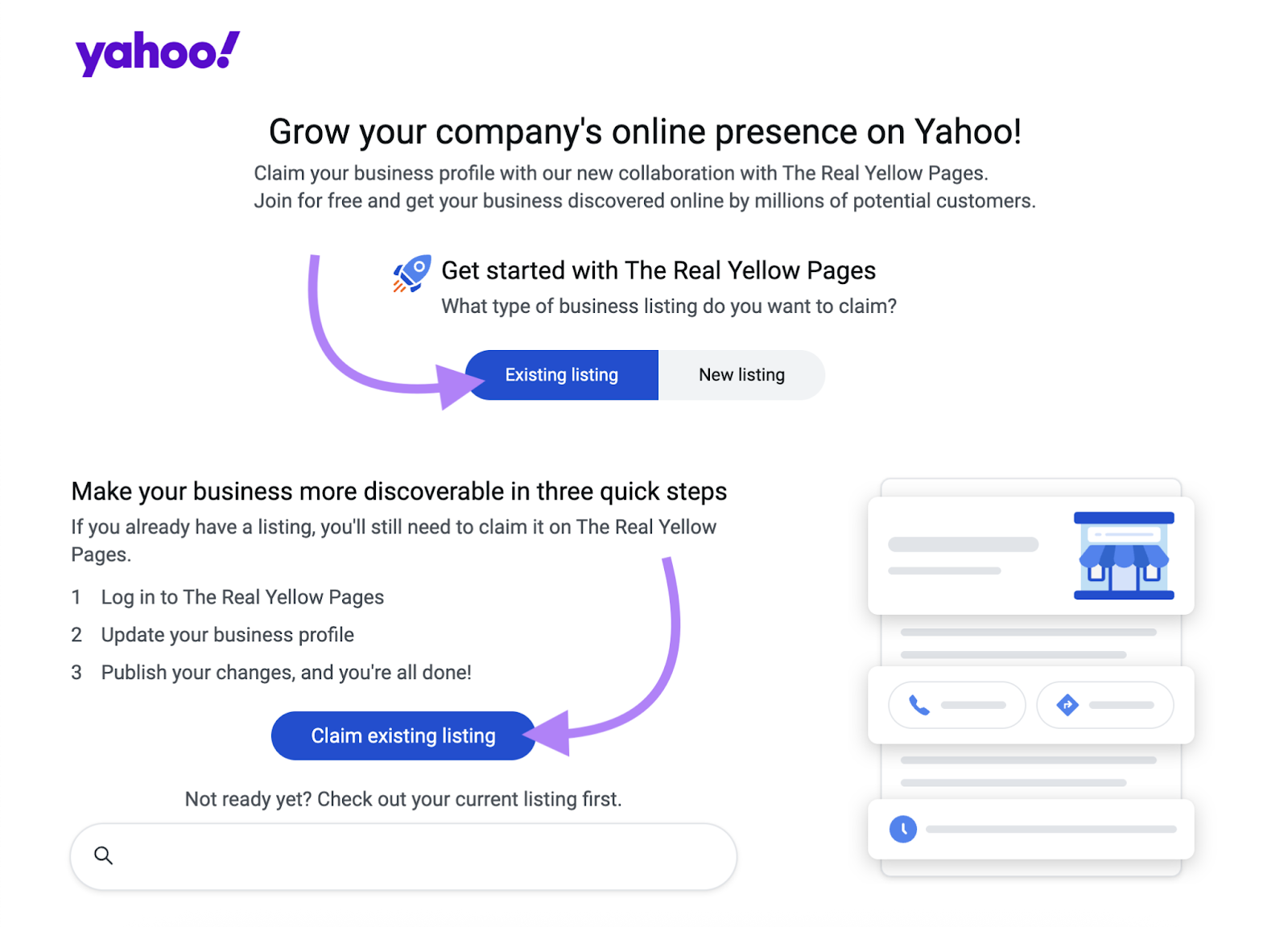
To claim a Yahoo business listing that already exists, navigate to Yahoo Local, select the “Existing listing” tab, and click “Claim existing listing.”
Look up your listing by location and business name and choose it from the drop-down menu. Then, click “Claim Now.”
Next, follow the prompts to update your contact information and claim your existing listing. Then complete your verification when a Business Advisor reaches out.
You can also look up an existing listing using the Yahoo search bar.
When you find your business in the results, click “Verify your listing” near the bottom of the listing.
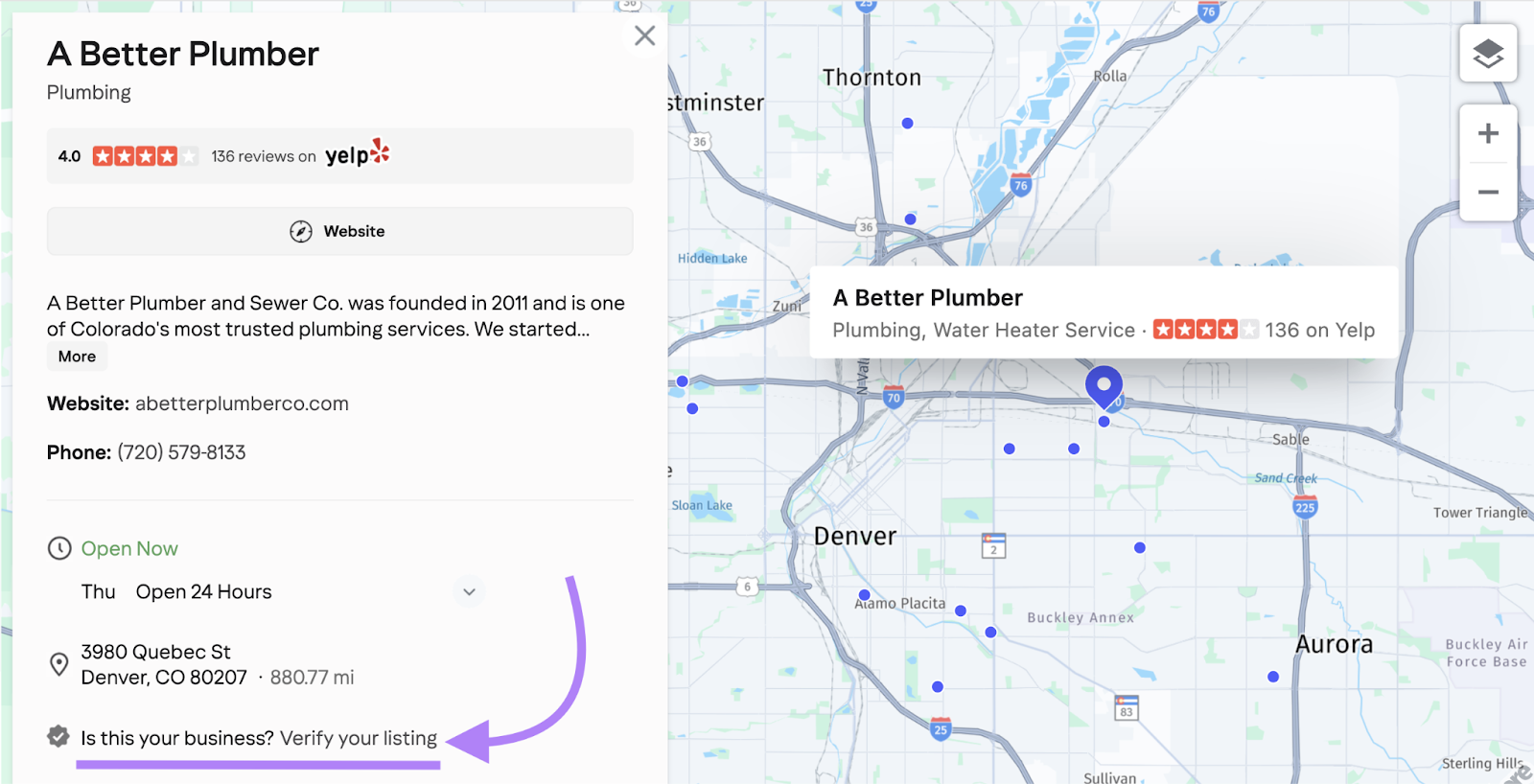
You’ll then be directed to the page that lets you update your contact information.
If someone else has already claimed your Yahoo Business listing, you may not be able to claim it via the self-service site. If this happens, call the provided number.
What Are the Benefits of Having a Yahoo Listing?
The benefit to claiming your Yahoo business directory listing is mainly that it helps you reach more prospective customers.
More specifically, having a Yahoo listing is good for:
- Keeping your local business information consistent: This ensures users have the correct details
- Improving your organic (unpaid) rankings in Google: Google looks for consistent and accurate information across local directories when determining what to prioritize in local search
- Connecting with people who use Yahoo to discover new businesses: Appearing on Yahoo means more opportunities to reach new audiences
Boost Your Brand’s Local Visibility Beyond Yahoo
Listing your local business in places beyond Yahoo helps you reach as many potential customers as possible.
So, use Semrush’s Listing Management tool to easily distribute your information across listings.
You can first check whether you’re listed on major directories. And see whether there are any issues that need to be fixed.
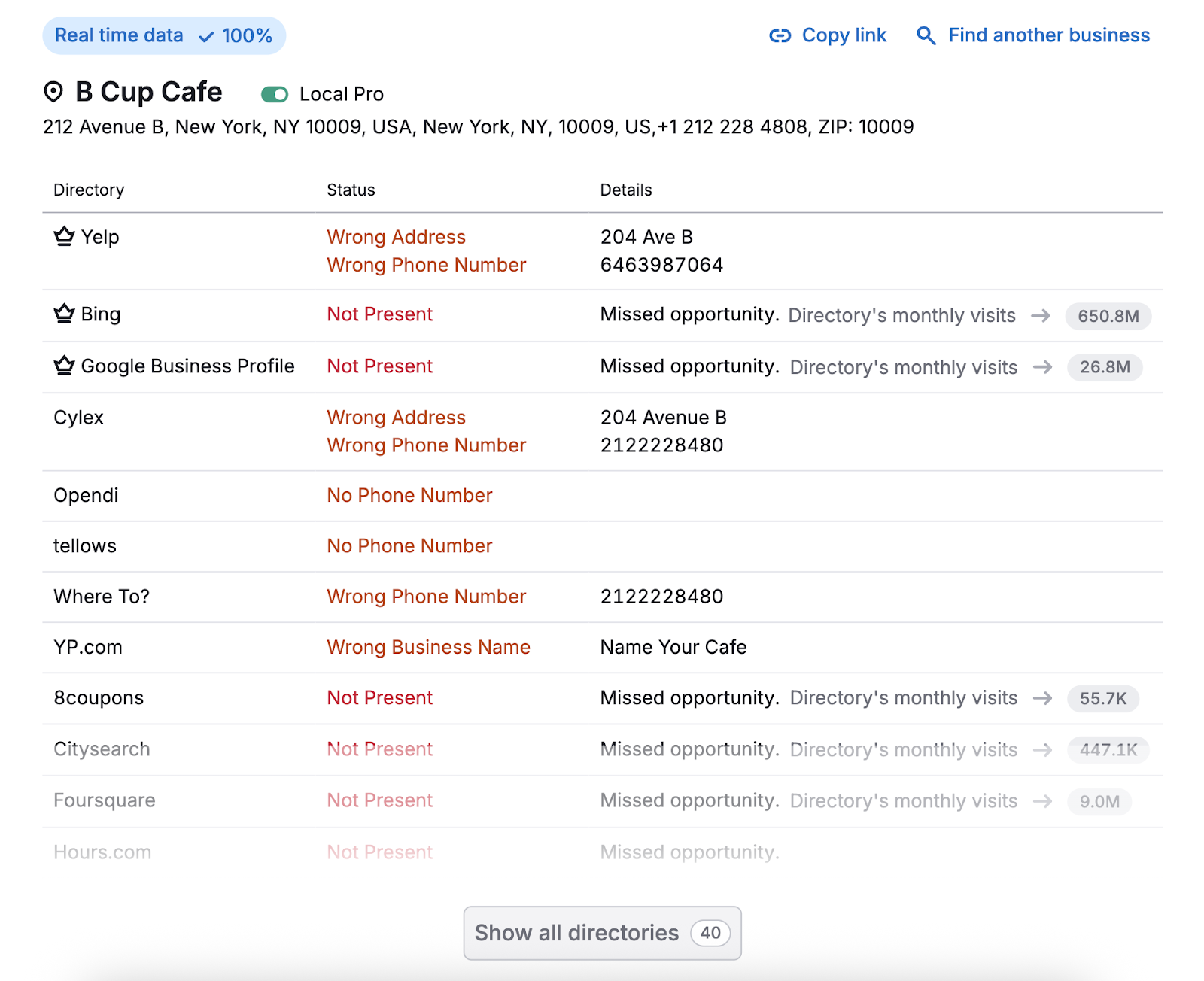
You can manually fix these listings on the individual directory websites.
Or sign up for the Semrush Local Toolkit to have the tool take care of them automatically.
Source link
[ad_2]






0 Comments